

Add Date Stamp to Photo: The Orange Film-Camera Date
Add date stamp to photo files in one click: upload a photo and get the glowing orange date in the corner, the way 90s film cameras printed it. The date is read from your photo.
- Reads EXIF date
- 6 date formats
- No watermark
Drop a photo here, or paste it with Ctrl + V
JPG, PNG or WebP. Your photo stays in your browser: nothing is uploaded.
No photo handy? Try one of ours
How to Add a Date Stamp to a Photo
- 01
Upload your photo
Pick a photo from your phone or computer. The date it was taken is read from the file in your browser. - 02
Check the date and style
Fix the date if needed, choose a format and corner, and keep the orange glow or pick red, yellow or white. - 03
Download
Save the stamped copy as JPG or PNG. Your original photo stays as it was.
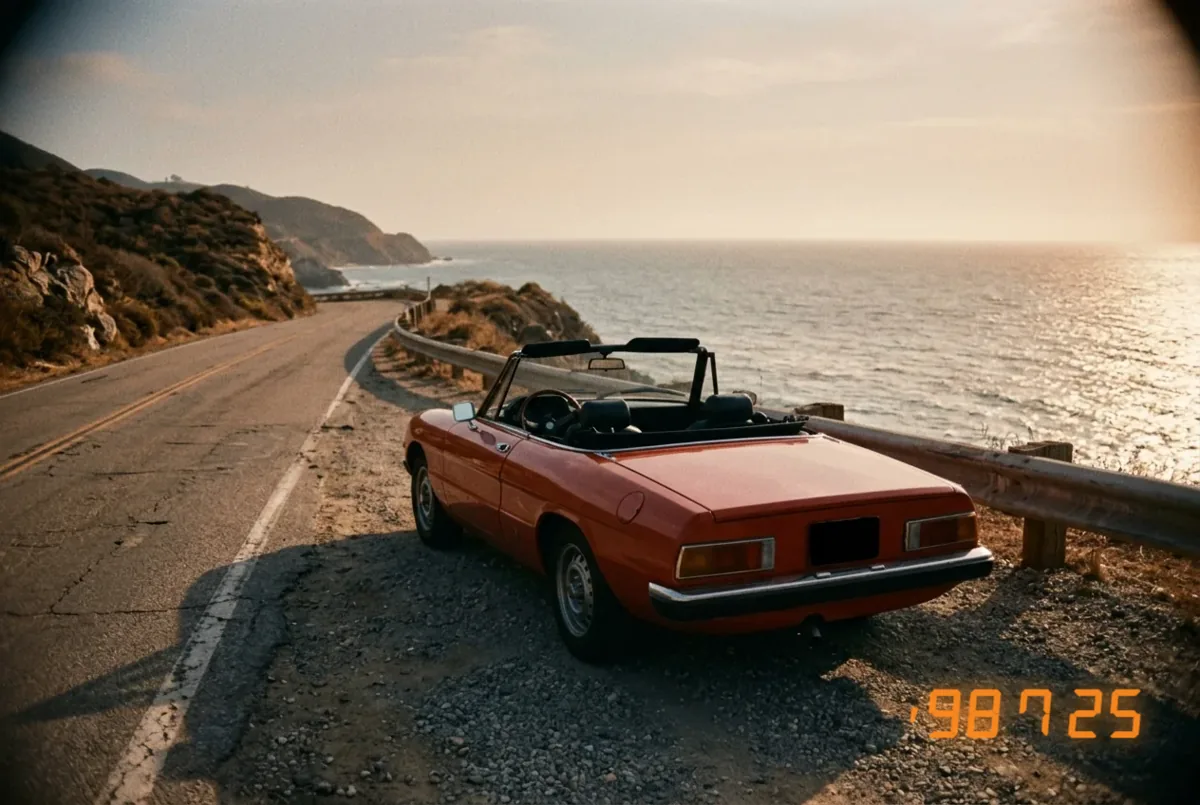
The film camera look
Why the Date Stamp Looks Like That
Point-and-shoot film cameras from the 1980s and 90s had a tiny LCD that printed the date onto the film with light. That is why the digits are made of seven segments, glow orange or red, and sit in the lower right corner, slightly blurred.
- Digits in DSEG7, a seven-segment font made for exactly this look
- A soft glow in the same colour as the digits, like light on film
- The ’YY M D order used by most Japanese cameras, with an apostrophe before the year
Phones dropped the date stamp, so people now add date stamp to photo files afterwards, for throwback posts, scrapbooks and printed albums.
Date Formats You Can Choose
| Format | Example | Where it is common |
|---|---|---|
| ’YY M D | ’98 7 25 | Japanese film cameras, the classic look |
| M D ’YY | 7 25 ’98 | US-market cameras |
| YYYY.MM.DD | 1998.07.25 | Modern digital and film-look apps |
| MM/DD/YYYY | 07/25/1998 | United States |
| DD/MM/YYYY | 25/07/1998 | UK, India, most of Europe |
| YYYY-MM-DD | 1998-07-25 | Unambiguous everywhere |
Turn on Show time to add the hour and minute after the date, like a timestamp camera.
Date Stamp Examples
Three ways to add date stamp to photo files with the same tool. Click a sample above the editor to try them.
Classic orange

Date and time
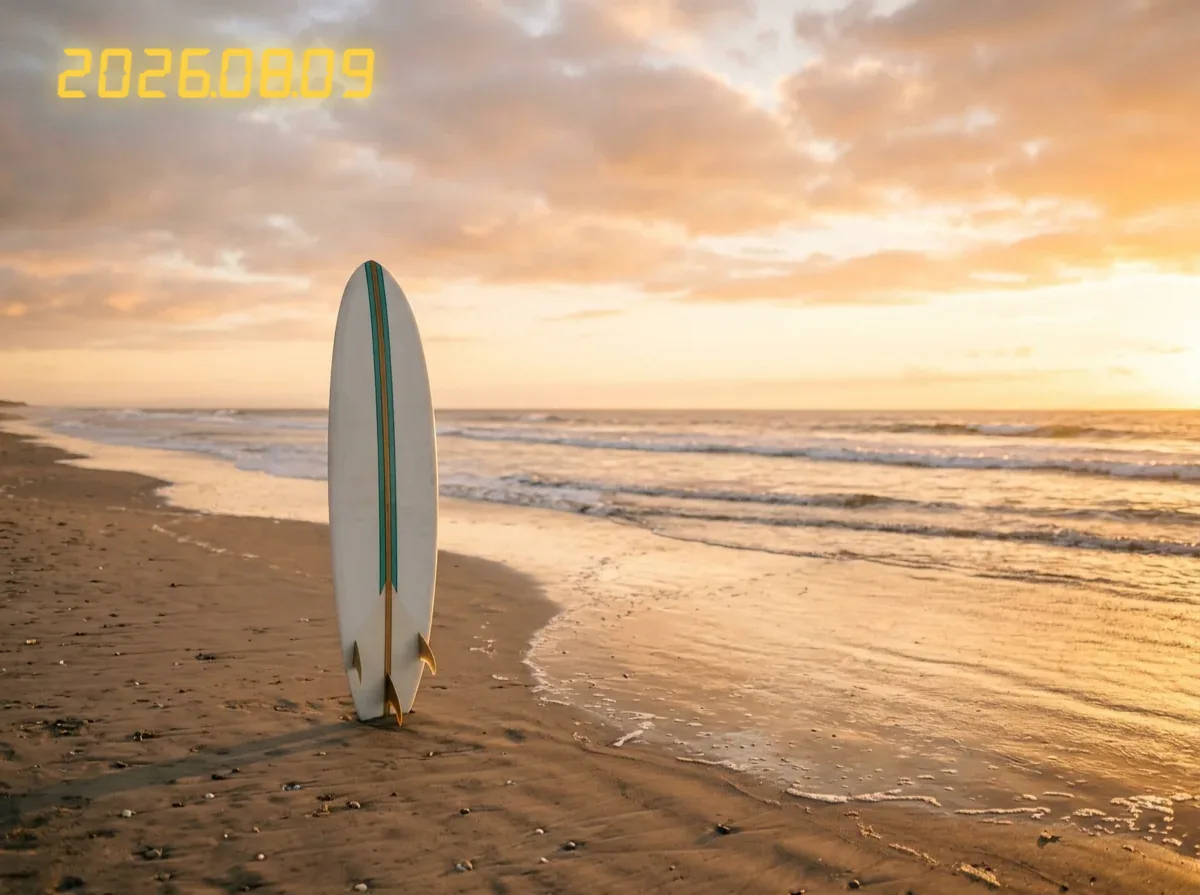
Yellow, top left
Timestamp Camera App or Add the Date Later?
| Timestamp camera app | Add date stamp to photo here | |
|---|---|---|
| Works on old photos | No, only new shots | Yes, any photo |
| Install | App from the store | Nothing, opens in the browser |
| Change the date or style later | No | Yes, before you download |
| Original photo | Saved with the stamp | Kept clean; you get a stamped copy |
Want other text on the photo too, such as a place name? Add it with Add text to image, or write it on a bar under the picture with Add caption to photo.
FAQ
How do I add date stamp to photo files?
Upload the photo. The editor reads the date it was taken from the EXIF data and stamps it in the bottom right corner in the orange film-camera style. Change the date, format, corner, colour or size if you like, then download.
Where does the date come from?
From the DateTimeOriginal field that cameras and phones write into JPG and HEIC files. Screenshots, downloads from chat apps and edited files often have no EXIF date; then the file date is used and you can type the right one.
How do I add a timestamp to photos on my iPhone?
The iPhone camera has no date stamp setting. Open this page in Safari, upload the photo from your library and download the stamped copy. Turn on Show time to add the hour as well.
Can I make it look like an old disposable camera?
Yes. Keep the orange colour and Film glow on, use the ’YY M D format and the bottom right corner. The digits use DSEG7, a seven-segment font like the LCD in 1990s point-and-shoot cameras.
Does it change the file’s metadata?
No. The stamp is drawn on the picture. The downloaded copy is a new image file, and the original photo on your device is not touched.
Is my photo uploaded to read the date?
No. The EXIF date is read in your browser and the stamp is drawn there; nothing is sent to a server.
More free text tools
Free, no sign-up
Add date stamp to photo now
Upload a photo and download it with the date in the corner. The examples on this page were made with this tool.
- No watermark on downloads
- Photos stay on your device
- Works on phones, tablets and computers