

Speech Bubble Generator: Add Speech Bubbles to Any Photo
Give your photo a voice with a free speech bubble generator: drop a speech, thought or shout bubble on it, type the words and point the tail at whoever is talking.
- 5 bubble shapes
- Comic fonts
- No watermark
Drop a photo here, or paste it with Ctrl + V
JPG, PNG or WebP. Your photo stays in your browser: nothing is uploaded.
No photo handy? Try one of ours
How to Use the Speech Bubble Generator
- 01
Open a photo
Upload, paste or pick a sample. People and pets with a clear face make the funniest results. - 02
Place the bubble and type
Drag the bubble beside the speaker, resize it from a corner, point the tail at their mouth and type your line. - 03
Download
Save as PNG or JPG. Add a second bubble for a reply before you download.
That is the whole speech bubble generator workflow: photo, bubble, words, download.
Five Speech Bubble Shapes, and When to Use Each
This speech bubble generator has five outlines. Comics use the outline to show how something is said, so pick the shape first, then the words.
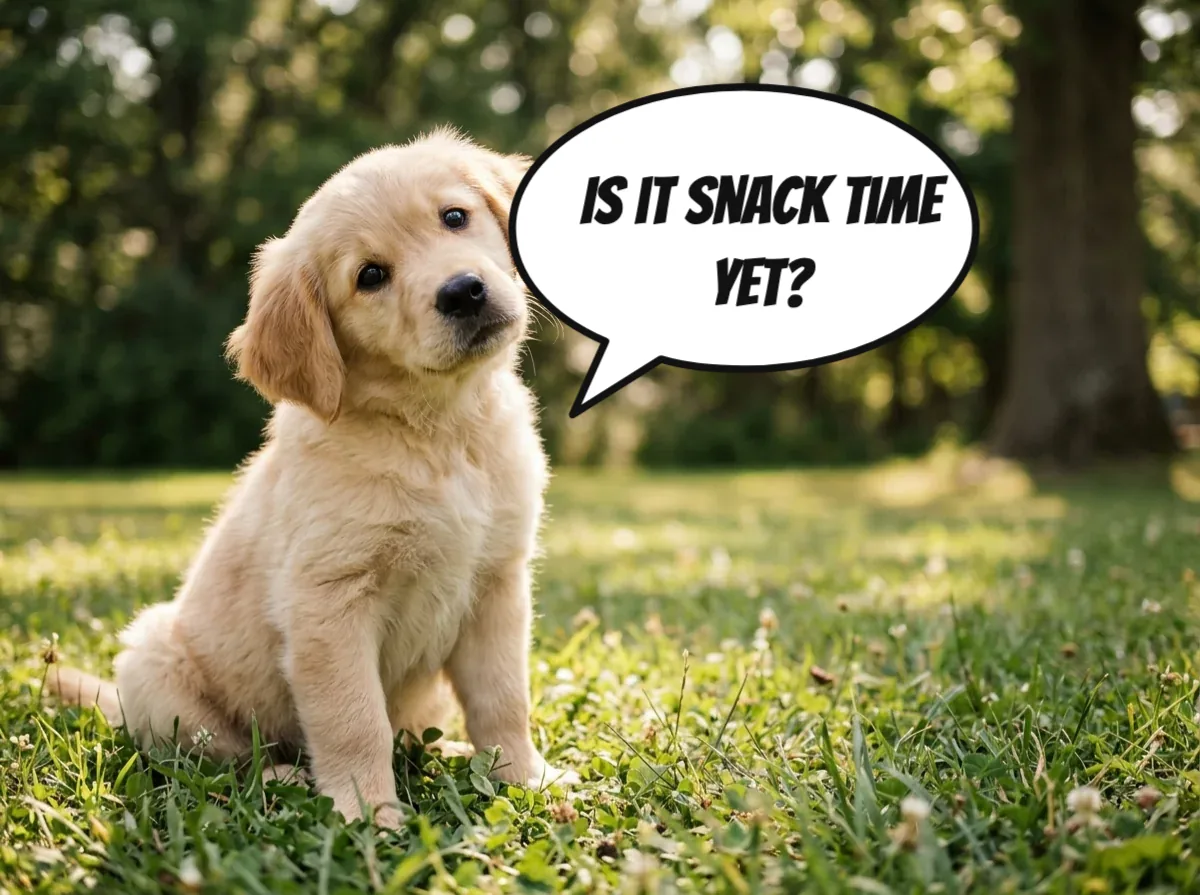 Speech
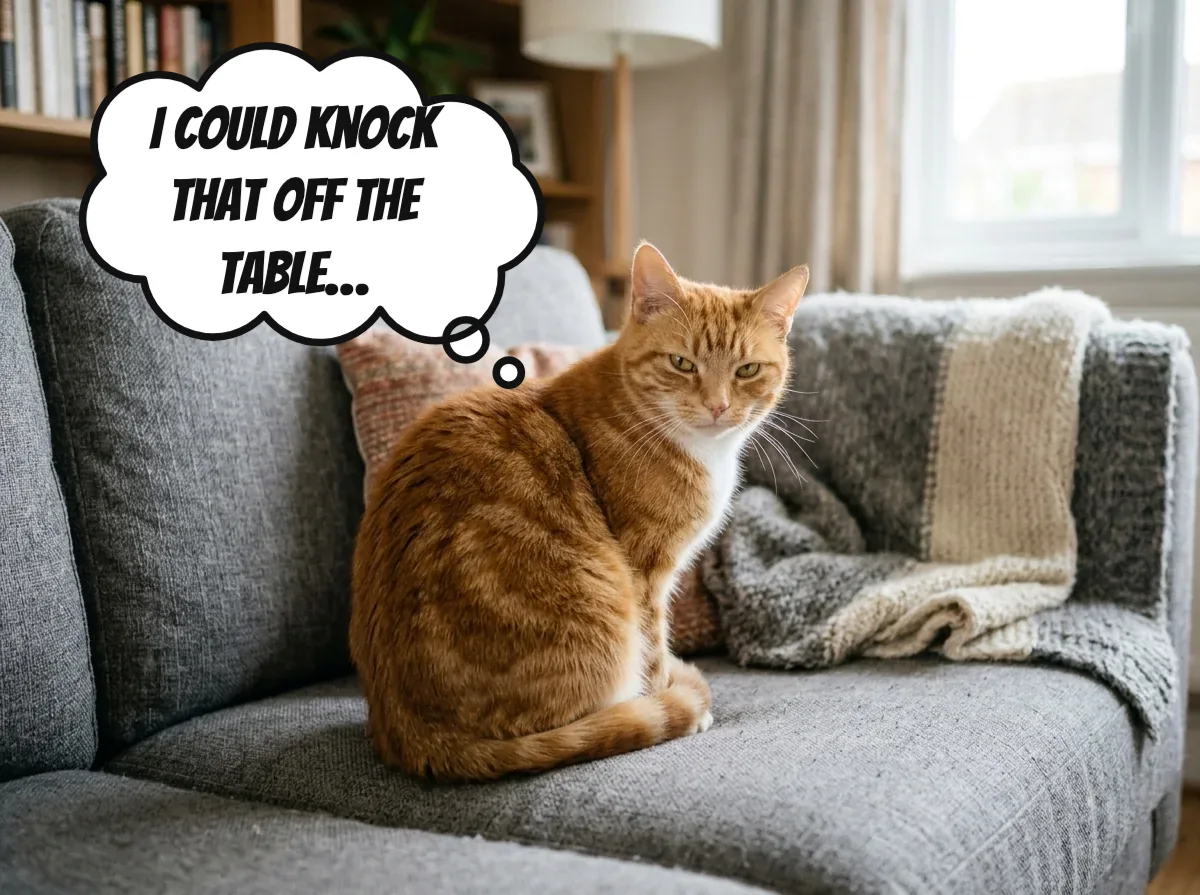 Thought
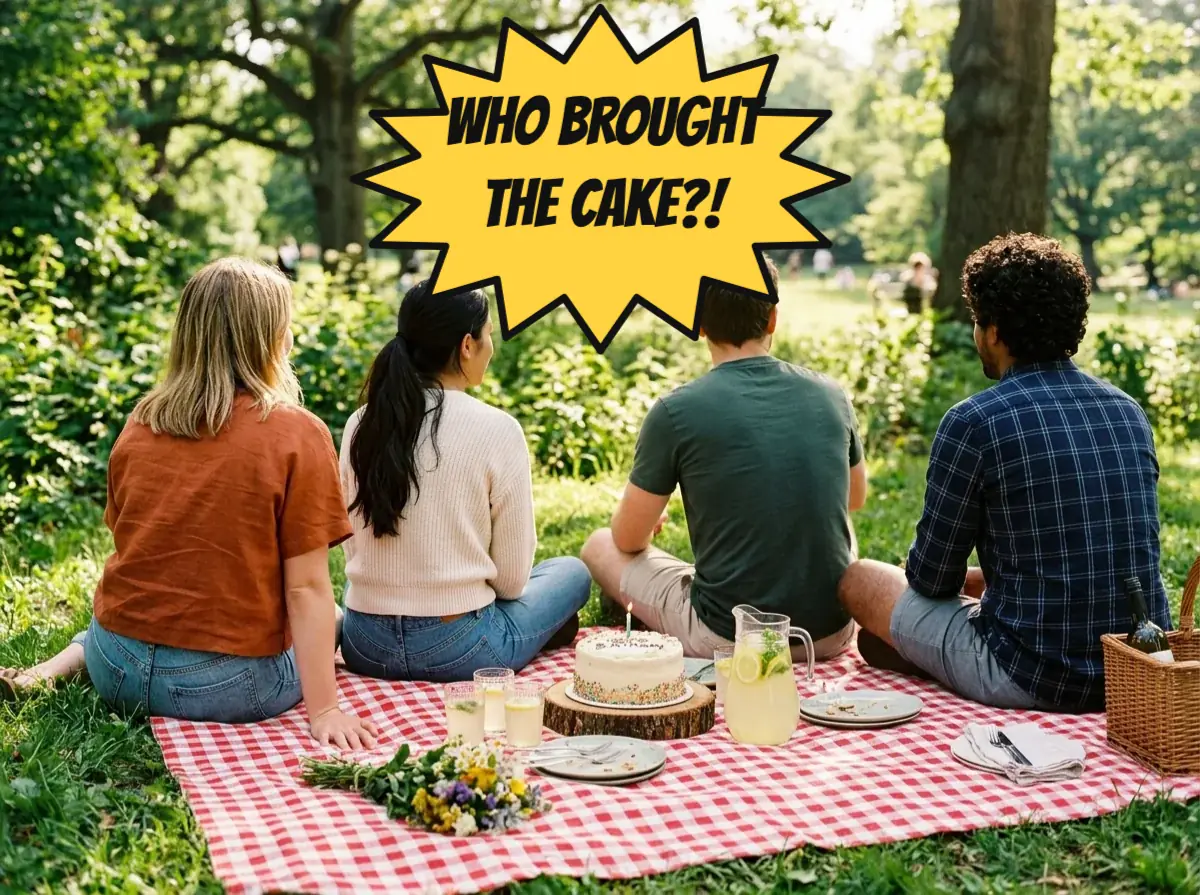 Shout
Shout
Two more shapes are in the editor: the comic box, a rounded rectangle for narration and longer lines, and the whisper bubble with a dashed outline for quiet asides.
Speech bubble memes
Make a Speech Bubble Meme
A speech bubble meme puts words in the mouth of someone in a reaction picture. It works because the picture does half of the joke: the bubble only needs a few words, and a speech bubble generator makes it a ten-second job.
- Keep it under ten words. The text shrinks to fit, but short lines read faster.
- Bangers, Anton and Luckiest Guy look like comic lettering; Arial is the classic plain meme look.
- Point the tail at the mouth, or at the head for a thought bubble.
- For the white box meme with the joke above the picture, use the caption tool instead.
Want words on the image without a bubble? Add text to image has meme, label and neon presets. For a white box above the picture, use Add caption to photo.
What Each Bubble Means in Comics
| Bubble | Means | Lettering tip |
|---|---|---|
| Speech | Spoken words | Sentence case, regular weight |
| Thought | Unspoken thoughts | Italic or softer colours |
| Shout | Yelling, surprise, sound effects | Capitals, bold, bright fill |
| Comic box | Narration, captions inside the panel | Smaller text, left aligned |
| Whisper | Quiet speech, asides | Small, light text with a dashed outline |
Every shape in the table is one click away in the speech bubble generator at the top of this page.
FAQ
How do I add a speech bubble to a photo?
Upload the photo, then drag the bubble next to the person or pet who is talking and point the tail at them. Type the words in the Text box; the text shrinks to fit the bubble. Download when you are done.
Can I make a meme with the speech bubble generator?
Yes. Use a reaction photo, pick the Speech or Comic box shape, write a short line in Bangers or Anton and download. Add a second bubble for a reply.
How do I flip the tail to the other side?
Select the bubble and press Flip the tail. The words stay readable; only the bubble is mirrored.
Can I change the colours?
Yes. Fill and outline colours are separate, so you can make a black bubble with white text, a yellow shout or a soft pastel thought bubble.
Can I download a speech bubble on its own as a PNG?
Yes. Choose Start with a blank canvas instead of a photo, add and style the bubble, and download as PNG. Everything around the bubble is transparent, ready to drop into a comic, a slide or a video.
Is the speech bubble generator free?
Yes. No account, no limit and no watermark on downloads.
More free text tools
Free, no sign-up
Make your photo talk
Upload a photo, add a bubble and type. The examples on this page were made with this speech bubble generator.
- No watermark on downloads
- Photos stay on your device
- Works on phones, tablets and computers